


Best WooCommerce plugins can transform your online store from a basic shop into a powerful e-commerce platform. Whether you need better payment processing, advanced product management, or improved customer experience, the right plugins make all the difference. In this comprehensive guide, we have tested and reviewed the top WooCommerce plugins for 2025 to help you choose the best solutions for your store.
If you are looking for the best WooCommerce plugins in 2025, start with YITH WooCommerce Wishlist for customer engagement, Product Filters for better navigation, and Discount Rules for promotions. These three plugins alone can significantly boost your conversion rates. For a complete solution, explore our WooCommerce Plugins collection with 500+ premium options.
WooCommerce plugins are extensions that add new features and functionality to your WooCommerce store. While WooCommerce itself provides a solid foundation for e-commerce, plugins allow you to customize and enhance your store without writing code. From payment gateways and shipping calculators to advanced product options and marketing tools, there is a plugin for virtually every need.
The WooCommerce ecosystem is massive, with thousands of plugins available. However, not all plugins are created equal. Premium plugins from reputable developers like YITH, WooCommerce official extensions, and CodeCanyon authors typically offer better code quality, regular updates, and dedicated support. This is crucial for maintaining a secure and stable online store.
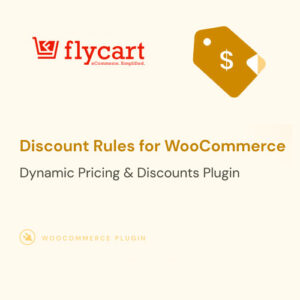
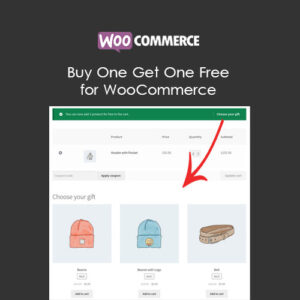
These plugins help you increase sales through discounts, upsells, and promotional campaigns. Flycart Discount Rules allows you to create complex discount scenarios including BOGO offers, bulk discounts, and cart-based promotions. Buy One Get One Free plugin simplifies promotional campaigns, while Top Bar helps you announce sales and special offers site-wide.
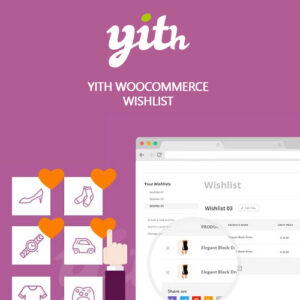
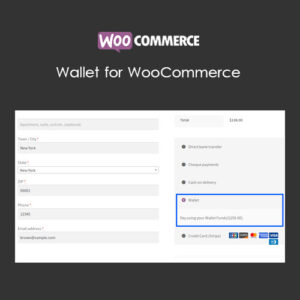
Improving customer experience directly impacts your conversion rate. YITH WooCommerce Wishlist Premium lets customers save products for later, increasing return visits. Product Filters for WooCommerce helps shoppers find exactly what they need quickly. The Wallet for WooCommerce plugin enables store credit and customer wallet functionality.
Managing a large product catalog requires specialized tools. Product Variations Table displays all product variations in an organized table format. Product Video for WooCommerce allows you to add video content to product pages, increasing engagement and trust. Custom User Registration Fields helps collect relevant customer information during checkout.


Streamlined checkout reduces cart abandonment. YITH WooCommerce Stripe Premium provides seamless Stripe integration with support for various payment methods. CyberSource Payment Gateway extends payment options for enterprise stores. Split Orders for WooCommerce allows customers to split orders for different shipping addresses.
For businesses with subscription models, YITH WooCommerce Subscription Premium is essential. Enhancer for WooCommerce Subscriptions adds extra features like pause and resume functionality. Discounts for WooCommerce Subscriptions allows you to offer special pricing for subscribers.
Service-based businesses benefit from BRW Booking Rental Plugin, which handles appointments, reservations, and equipment rentals with ease. This comprehensive solution supports multiple booking types and integrates with WooCommerce checkout.
Let us look at some real-world scenarios where these plugins excel. An online clothing store would benefit from WooCommerce Plugins like Size Charts, Color Swatches, and Wishlist functionality. A digital product store should consider Easy Digital Downloads integration and automated delivery plugins.
For stores selling customizable products, Product Addons and Custom Fields plugins are essential. Wholesale businesses need tiered pricing and minimum order quantity plugins. Check our WordPress Plugins section for complementary tools that work alongside your WooCommerce setup.
What are the must-have WooCommerce plugins?
Essential plugins include a wishlist plugin for customer engagement, product filters for navigation, and a security plugin for protection. Payment gateway plugins are also crucial for processing transactions securely.
Are free WooCommerce plugins safe to use?
Free plugins from the official WordPress repository are generally safe, but they may lack features and support. Premium plugins typically offer better security, regular updates, and dedicated support teams.
How many plugins should I install on my WooCommerce store?
Quality matters more than quantity. Install only the plugins you need. Most successful stores run 15-25 plugins. Too many plugins can slow down your site and create conflicts.
Do WooCommerce plugins slow down my website?
Poorly coded plugins can affect performance. Choose well-optimized plugins from reputable developers and use caching plugins like LiteSpeed Cache to maintain speed.
Can I use multiple payment gateway plugins?
Yes, you can offer multiple payment options to customers. Having options like Stripe, PayPal, and local payment methods can increase conversions by catering to customer preferences.
How often should I update WooCommerce plugins?
Update plugins regularly, ideally within a week of new releases. Always backup your site before updating and test on staging if possible. Updates include security patches and new features.
Ready to enhance your WooCommerce store? Browse our complete collection of WooCommerce Plugins with instant download access. For unlimited access to all plugins and themes, consider our Premium Membership. Questions? Visit our WP Solution Center for support.
