
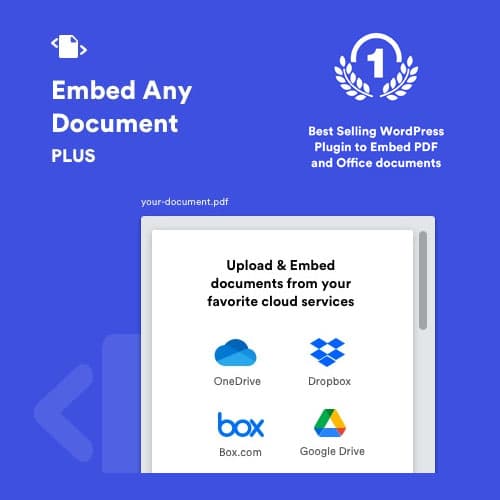
Embed PDF, Word, Excel, and PowerPoint documents directly in WordPress pages
Embed Any Document Plus - WordPress Plugin
Embed Any Document Plus lets you embed documents directly into WordPress pages and posts. Supports PDF, Microsoft Office files, and Google Docs with responsive viewers, download controls, and multiple embed methods for document sharing.
Included with purchase:
- 100% GPL Licensed
- Lifetime Updates
- Technical Support
- Instant Download
Download for Free
Get this product and unlock 4,500+ premium plugins & themes for just $15.00/month.
What is Embed Any Document Plus - WordPress Plugin?
Embed Any Document Plus is a premium WordPress plugin that allows users to embed PDF, Office, and Google documents directly into pages with responsive viewers and download controls. This plugin simplifies document sharing on WordPress sites, making it ideal for businesses and educators who need to share documents without requiring downloads. Key features include support for multiple file formats, configurable download and print controls, and responsive document viewers that work on all devices. The target audience includes content creators and educators looking to enhance document accessibility. It is compatible with the latest versions of WordPress. Available at PluginTheme.net with GPL license, instant download, and lifetime updates.
Key Features
Multi-Format Support
Embed PDF, Word, Excel, PowerPoint, and Google Docs files
Multiple Renderers
Google Docs, Microsoft Online, and direct browser embed methods
Download Controls
Configure download and print access per embedded document
Responsive Viewers
Document viewers that adapt to page width and mobile screens
Who is this for?
Pros
- Supports PDF, Word, Excel, PowerPoint, and Google Docs
- Multiple embed methods for rendering flexibility
- Configurable download and print controls
- Responsive document viewers for all devices
- Gutenberg block and shortcode support
Cons
- •Rendering quality varies by embed method and format
- •Some formats depend on external services (Google, Microsoft)
- •Large documents may load slowly in embedded viewers
Product Description
Embed Any Document Plus simplifies document sharing on WordPress by embedding files directly into pages without requiring visitors to download them. Support for multiple file formats and embed methods ensures compatibility across use cases.
Supported Formats
- PDF documents with page navigation
- Microsoft Word documents (.doc, .docx)
- Excel spreadsheets (.xls, .xlsx)
- PowerPoint presentations (.ppt, .pptx)
- Google Docs, Sheets, and Slides
Embed Options
Multiple embed methods including Google Docs Viewer, Microsoft Office Online, and direct browser rendering. Each method has different advantages for format support and rendering quality. Shortcodes and Gutenberg blocks provide flexible document placement.
Controls
Configure document viewer dimensions, download button visibility, print access, and responsive behavior. Restrict download access while allowing viewing, or provide both viewing and download options based on your content sharing requirements.
Our Verdict
PluginTheme Team
Expert Reviewer
Practical solution for document sharing on WordPress. The multiple embed methods provide fallback options when one rendering method does not work optimally for a specific format.









