
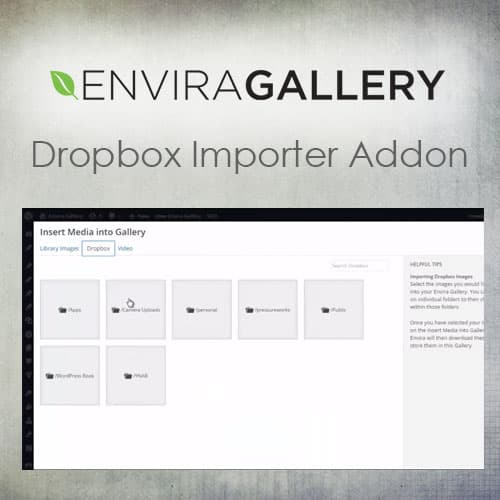
Import photos from Dropbox directly into Envira Gallery galleries
Envira Gallery - Dropbox Importer Addon
Envira Gallery Dropbox Importer Addon connects your Dropbox account to Envira Gallery, allowing you to import photos directly from your cloud storage into WordPress galleries. Browse Dropbox folders, select images, and add them to galleries without downloading files to your computer first.
Included with purchase:
- 100% GPL Licensed
- Lifetime Updates
- Technical Support
- Instant Download
Download for Free
Get this product and unlock 4,500+ premium plugins & themes for just $15.00/month.
What is Envira Gallery - Dropbox Importer Addon?
Envira Gallery Dropbox Importer Addon is a premium WordPress plugin that simplifies the process of importing photos from Dropbox into Envira Gallery displays. This plugin is particularly useful for photographers and content creators who store images in the cloud and wish to showcase them on their websites. Key features include folder browsing for easy navigation of Dropbox structure, selective import allowing users to choose specific images, and direct transfer that eliminates the need for manual downloads. The addon enhances workflow efficiency, making it easier to manage and display visual content. Envira Gallery Dropbox Importer targets users looking to streamline their gallery management process. It is fully compatible with WordPress and Envira Gallery. Available at PluginTheme.net with GPL license, instant download, and lifetime updates.
Key Features
Dropbox Folder Browsing
Navigate your Dropbox structure from the WordPress gallery editor
Selective Import
Choose individual images or batch-import entire folders
Direct Transfer
Photos move from Dropbox to WordPress without local downloads
Metadata Preservation
Image titles and descriptions transfer during import
Who is this for?
Pros
- Direct Dropbox-to-gallery import eliminates manual download and upload steps
- Folder browsing lets you navigate Dropbox structure from WordPress
- Selective import allows choosing individual images or entire folders
- Metadata preservation transfers available image titles and descriptions
- Batch import handles multiple images efficiently
Cons
- •Requires Envira Gallery and active Dropbox account
- •Large batch imports may take time depending on file sizes and connection
- •Imported images consume WordPress media library storage space
Product Description
Envira Gallery Dropbox Importer streamlines the workflow of getting cloud-stored photos into your WordPress galleries. Instead of downloading images from Dropbox and re-uploading them to WordPress, the addon pulls files directly from your Dropbox account into Envira Gallery.
Import Features
- Folder Browsing – Navigate your Dropbox folder structure directly from the WordPress gallery editor
- Selective Import – Choose individual images or select entire folders for batch import
- Direct Transfer – Images transfer from Dropbox to your WordPress media library without intermediate local downloads
- Metadata Preservation – Image metadata including titles and descriptions carry over during import when available
Workflow Benefits
Photographers who store edited images in Dropbox can quickly add them to website galleries. Teams that share photos through Dropbox can import directly into WordPress. The direct transfer eliminates the multi-step process of downloading, uploading, and organizing images manually.
Available at PluginTheme.net with instant download and GPL licensing.
Our Verdict
PluginTheme Team
Expert Reviewer
The addon streamlines cloud-to-gallery workflows effectively, making it practical to maintain Dropbox-based photo collections and publish them through Envira Gallery.









