
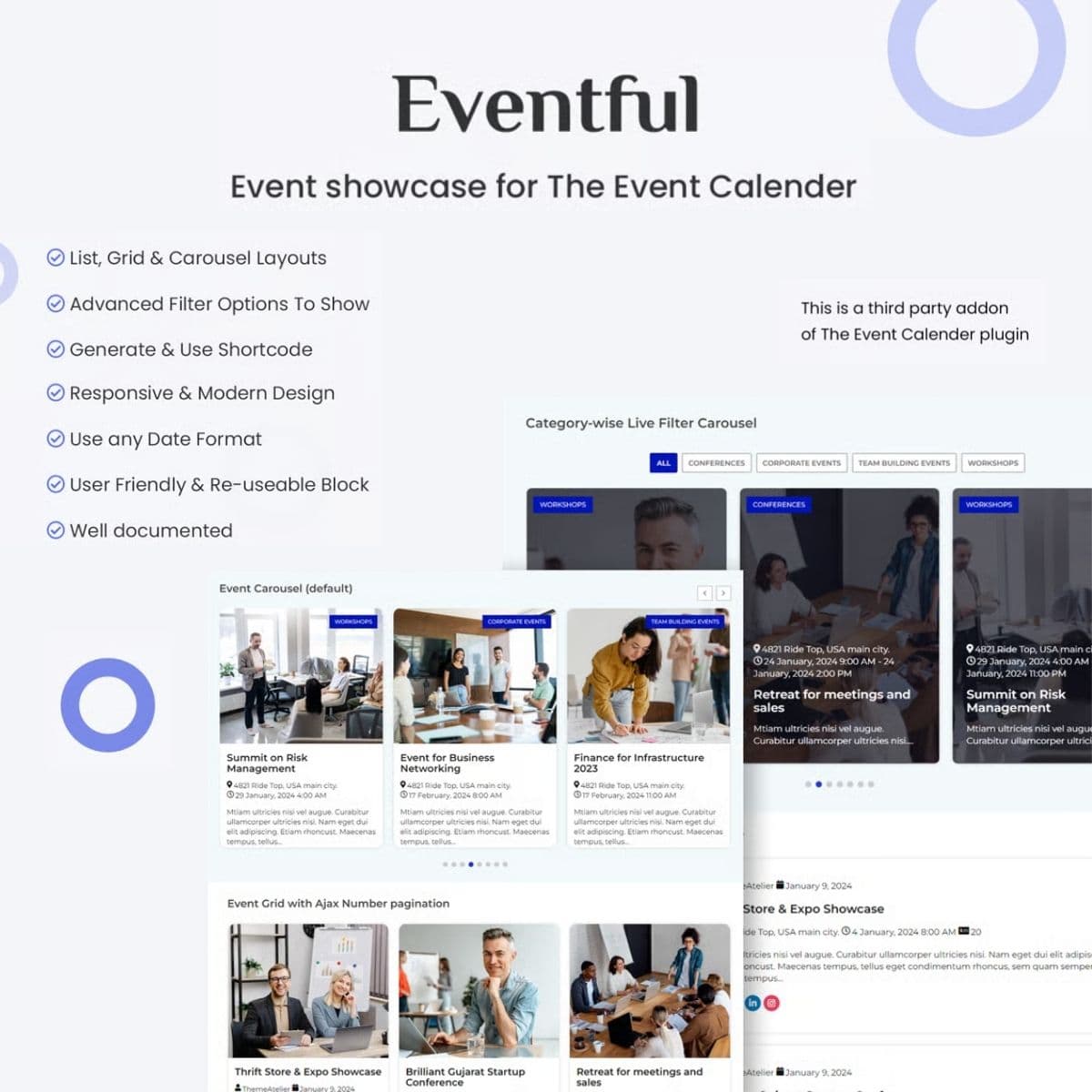
Display The Events Calendar events in customizable grid and list layouts
Events Showcase For The Events Calendar
Events Showcase extends The Events Calendar plugin with additional display layouts including grids, carousels, and timeline views. Present your events in visually engaging formats beyond the default calendar view.
Included with purchase:
- 100% GPL Licensed
- Lifetime Updates
- Technical Support
- Instant Download
Download for Free
Get this product and unlock 4,500+ premium plugins & themes for just $15.00/month.
What is Events Showcase For The Events Calendar?
Events Showcase is a premium WordPress plugin that extends The Events Calendar by providing additional display layouts for presenting events in visually engaging formats. This plugin is particularly useful for organizations and businesses that host events and want to enhance their event listings. Key features include multiple layout options such as grids, carousels, timelines, and list views, allowing for flexible presentation styles. The plugin also supports category filtering with Ajax-powered updates, customizable card designs, and shortcode embedding for easy integration on any page or post. It is fully compatible with The Events Calendar plugin, ensuring a seamless experience for users. Available at PluginTheme.net with GPL license, instant download, and lifetime updates.
Key Features
Grid Layout
Card-based event display with images, dates, and venue details
Carousel Slider
Scrollable event showcase with navigation controls
Timeline View
Chronological event presentation in timeline format
Category Filtering
Ajax-powered event filtering by category
Shortcode Support
Embed event showcases on any page with configurable parameters
Who is this for?
Pros
- Multiple layout options — grid, carousel, timeline, list
- Category filtering with Ajax-powered updates
- Customizable card designs and styling controls
- Shortcode embedding on any page or post
- Works with existing Events Calendar data
Cons
- •Requires The Events Calendar base plugin
- •Advanced styling may need CSS knowledge
- •Large event databases may affect carousel performance
Product Videos
Product Description
Events Showcase adds versatile display options to The Events Calendar plugin, allowing you to present events in grid, carousel, list, and timeline layouts. The addon transforms standard event listings into visually appealing showcases that drive attendance.
Display Layouts
- Grid view — Card-based event display with images and details
- Carousel slider — Scrollable event showcase with navigation
- Timeline view — Chronological event presentation
- List layout — Compact event listings with key details
- Category filtering — Filter events by category with Ajax updates
Customization
Each layout offers styling controls for colors, typography, spacing, and card designs. Configure how much event information displays — title, date, venue, excerpt, or full details — and set the number of events per view.
Shortcode Integration
Embed event showcases on any page or post using shortcodes with configurable parameters. Display upcoming events, past events, or events from specific categories and venues.
Our Verdict
PluginTheme Team
Expert Reviewer
Tested with The Events Calendar on a community site. The grid and carousel layouts display events attractively, and category filtering works smoothly. Shortcode parameters provide good flexibility for different page layouts.









