
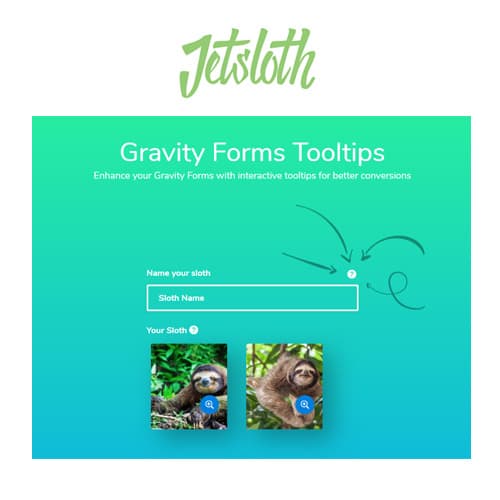
Add informational tooltips to Gravity Forms fields
Jetsloth - Gravity Forms Tooltips
Jetsloth Gravity Forms Tooltips adds customizable informational tooltips to Gravity Forms fields. Display helpful hints, instructions, and contextual information when users hover over or click on form fields, improving form completion rates and reducing user confusion.
Included with purchase:
- 100% GPL Licensed
- Lifetime Updates
- Technical Support
- Instant Download
Download for Free
Get this product and unlock 4,500+ premium plugins & themes for just $15.00/month.
What is Jetsloth - Gravity Forms Tooltips?
Jetsloth Gravity Forms Tooltips is a premium WordPress plugin that adds informational tooltips to Gravity Forms fields, providing contextual help and instructions on hover or click. This plugin is designed to enhance form usability, making it particularly useful for websites with complex forms that may confuse users. Key features include the ability to add field-level help, custom content options for tooltips, and multiple display triggers such as hover or click. The target audience consists of website owners and developers who want to improve form completion rates and reduce support requests. Jetsloth Gravity Forms Tooltips is fully compatible with Gravity Forms, ensuring a smooth integration. Available at PluginTheme.net with GPL license, instant download, and lifetime updates.
Key Features
Field-Level Tooltips
Add informational tooltips to any Gravity Forms field
Custom Content
Include text, links, or formatted content within tooltip displays
Trigger Options
Show tooltips on hover, click, or field focus interactions
Styling Control
Customize tooltip appearance and positioning to match your design
Who is this for?
Pros
- Field-level help: Add contextual tooltips to any Gravity Forms field
- Custom content: Include text, links, or formatted information in tooltips
- Multiple triggers: Display on hover, click, or field focus
- Improved usability: Help users understand form fields without layout clutter
- Customizable: Style tooltips to match your site design and branding
Cons
- •Requires Gravity Forms as the base form plugin
- •Tooltip content must be written for each field that needs it
- •Mobile tooltip interaction differs from desktop hover behavior
Product Description
Jetsloth Gravity Forms Tooltips enhances form usability by adding informational tooltips to Gravity Forms fields. Tooltips provide contextual help exactly where users need it, reducing confusion and support requests related to form submissions.
Tooltip Features
- Field-level tooltips — Add tooltips to any Gravity Forms field
- Custom content — Include text, links, or formatted content in tooltips
- Trigger options — Display tooltips on hover, click, or focus
- Styling control — Customize tooltip appearance to match your site design
- Position options — Control tooltip placement relative to form fields
Form Usability
Complex forms benefit significantly from tooltips. Instead of lengthy instructions that clutter the form layout, tooltips provide information on demand. Users who understand a field skip the tooltip, while those who need help can access it instantly.
This improves completion rates for forms with technical or industry-specific fields that not all users may immediately understand.
Our Verdict
PluginTheme Team
Expert Reviewer
Tested as a form usability addon for Gravity Forms. The tooltips provide practical field-level help that can improve completion rates on complex forms.









