
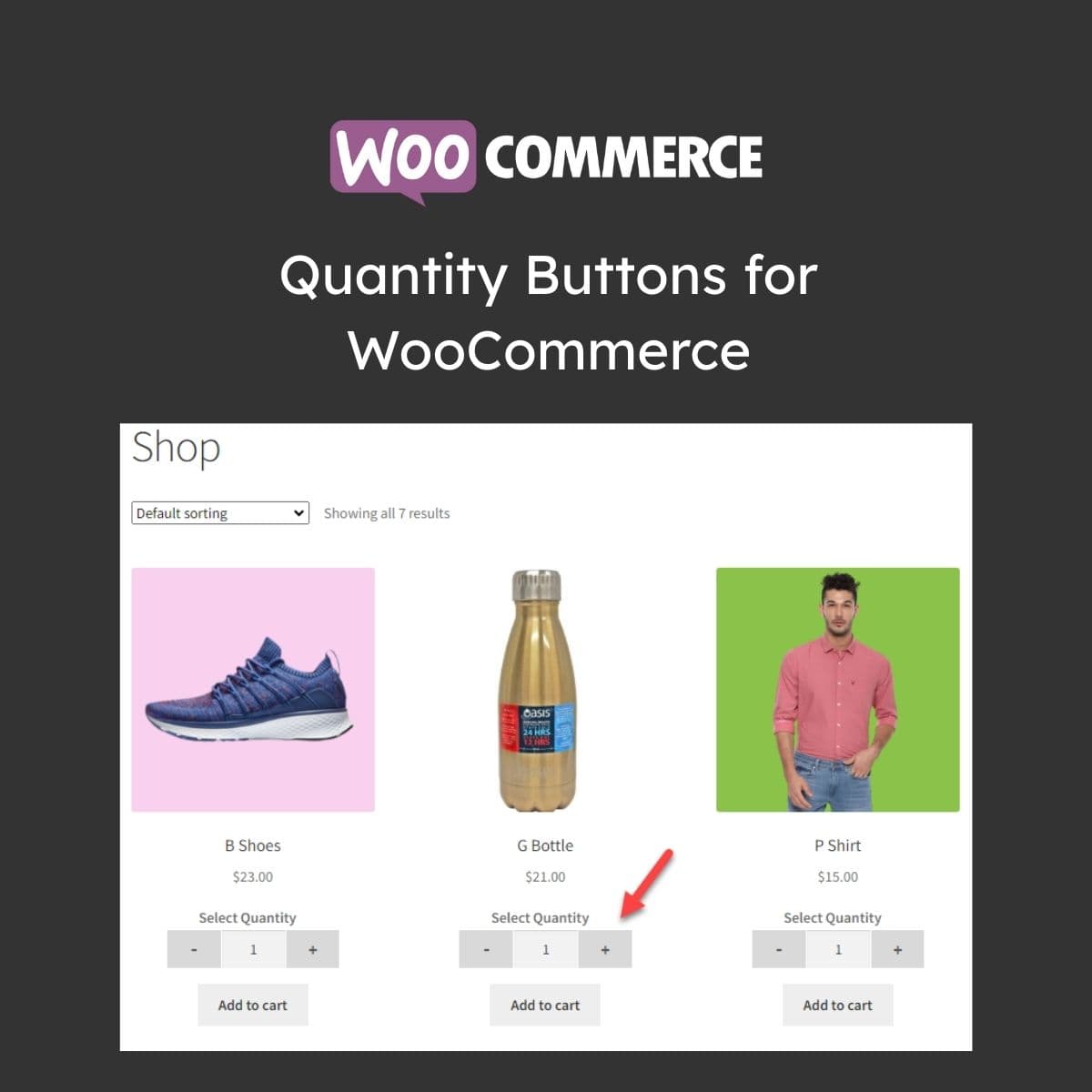
WooCommerce plus/minus quantity buttons for product and cart pages
Quantity Buttons for WooCommerce
Quantity Buttons for WooCommerce adds plus and minus increment buttons to quantity inputs on product pages and cart. It replaces the default number input with user-friendly buttons that improve the shopping experience, especially on mobile devices.
Included with purchase:
- 100% GPL Licensed
- Lifetime Updates
- Technical Support
- Instant Download
Download for Free
Get this product and unlock 4,500+ premium plugins & themes for just $15.00/month.
What is Quantity Buttons for WooCommerce?
Quantity Buttons for WooCommerce is a premium plugin that enhances the quantity input fields on WooCommerce product and cart pages by adding plus and minus increment buttons. This plugin is particularly useful for improving usability, especially on mobile devices. Key features include clearly visible plus and minus buttons that simplify quantity selection, mobile-friendly touch targets that reduce input errors, and custom step increments that cater to bulk ordering scenarios. The plugin works seamlessly on product pages and cart interfaces, ensuring a consistent user experience across the site. It is compatible with the latest versions of WooCommerce and WordPress, making it suitable for various online stores. Available at PluginTheme.net with GPL license, instant download, and lifetime updates.
Key Features
Plus/Minus Buttons
Visible increment and decrement controls for quantity fields
Mobile Friendly
Large touch targets for smartphone and tablet use
Step Increments
Custom quantity step values for bulk ordering
Min/Max Limits
Product-level quantity restrictions
Style Options
Button appearance customization to match themes
Who is this for?
Pros
- Clearly visible plus/minus buttons improve quantity selection
- Mobile-friendly large touch targets reduce input errors
- Custom step increments for bulk ordering scenarios
- Works on product pages, cart, and mini-cart consistently
- Styling options match your theme design
Cons
- •Simple functionality that some themes already include built-in
- •May conflict with themes that heavily customize quantity inputs
- •Limited benefit for stores selling single-quantity items
Product Videos
Product Description
Quantity Buttons for WooCommerce enhances the default WooCommerce quantity input fields by adding clearly visible plus (+) and minus (-) buttons. This simple improvement makes quantity selection more intuitive and reduces errors, particularly on touch-screen devices.
Features
- Plus/Minus Buttons — Visible increment and decrement buttons flanking the quantity field on product and cart pages
- Mobile Optimization — Large touch targets make quantity changes easy on smartphones and tablets
- Step Increments — Configure custom step values for quantity changes (e.g., increments of 5 or 10)
- Min/Max Limits — Set minimum and maximum quantity limits per product
Customization
The plugin offers styling options to match button appearance with your theme design. Button positions can be configured as inline, stacked, or custom layouts. The buttons work consistently across product pages, cart, and mini-cart widgets.
Available at PluginTheme.net with instant download and GPL license.
Our Verdict
PluginTheme Team
Expert Reviewer
A straightforward UX improvement that makes WooCommerce quantity selection noticeably more user-friendly, especially on mobile devices.









