
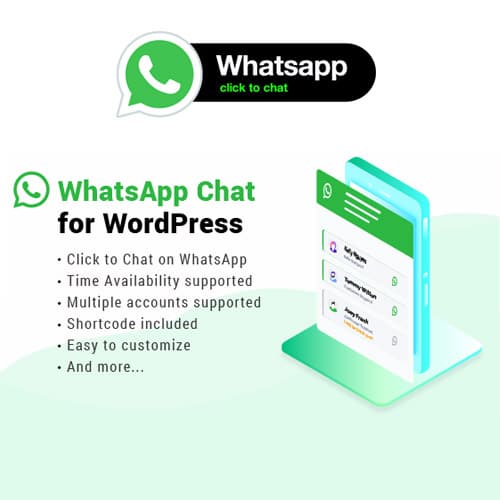
A WordPress plugin that adds a WhatsApp chat button and contact widget to your website for direct visitor communication
WhatsApp Chat WordPress
WhatsApp Chat WordPress adds a floating WhatsApp chat button to your website, enabling visitors to start conversations with your team directly through WhatsApp. It supports multiple agents, custom availability schedules, and various button styles with page-level display rules.
Included with purchase:
- 100% GPL Licensed
- Lifetime Updates
- Technical Support
- Instant Download
Download for Free
Get this product and unlock 4,500+ premium plugins & themes for just $15.00/month.
What is WhatsApp Chat WordPress?
WhatsApp Chat WordPress is a premium plugin that adds a WhatsApp contact button to WordPress websites, enabling visitors to initiate direct conversations with site owners or support teams. This plugin supports multiple agents, allowing businesses to manage customer inquiries efficiently with individual availability schedules. Page-level display rules enable targeted button placement, enhancing user experience. Pre-filled messages can be customized with dynamic variables to provide context for visitors, streamlining communication. The plugin is compatible with the latest WordPress versions and is ideal for businesses seeking real-time customer engagement. Available at PluginTheme.net with GPL license, instant download, and lifetime updates.
Key Features
WhatsApp Chat Button
Floating contact button that opens direct WhatsApp conversations
Multiple Agents
Add team members with individual numbers, photos, and availability
Availability Schedules
Set online/offline hours per agent with custom offline messages
Page Targeting
Show or hide the button on specific pages using display rules
Pre-Filled Messages
Dynamic opening messages with page URL and title variables
Who is this for?
Pros
- Multiple agent support with individual availability schedules
- Page-level display rules for targeted button placement
- Pre-filled messages with dynamic variables for visitor context
- Works on both desktop and mobile without additional configuration
- Lightweight with minimal impact on page load performance
Cons
- •Conversation history stays in WhatsApp, not captured on WordPress
- •Requires WhatsApp or WhatsApp Business on the receiving end
- •No built-in analytics for tracking chat conversion rates
Product Description
WhatsApp Chat WordPress places a configurable chat button on your website that connects visitors directly to your WhatsApp number or team. When clicked, it opens a WhatsApp conversation with a pre-filled message, eliminating the friction of form-based contact methods and enabling real-time communication.
Core Capabilities
- Multiple agent support: Add several team members with individual WhatsApp numbers, profile photos, titles, and availability schedules. Visitors can choose which department or person to contact.
- Custom availability hours: Set online/offline schedules for each agent so the chat button reflects actual availability. Offline agents display a custom message or hide automatically.
- Page-level targeting: Control which pages show the WhatsApp button using inclusion and exclusion rules based on page type, URL patterns, or specific post IDs.
- Pre-filled messages: Configure default opening messages that include dynamic variables like page URL or page title, giving agents context about what the visitor was browsing.
- Button customization: Choose from multiple button designs including floating buttons, embedded widgets, and chat box styles with custom colors, icons, and animations.
Practical Considerations
The plugin relies on WhatsApp or WhatsApp Business being installed on the receiving end. Messages go through WhatsApp servers, so conversation history stays within WhatsApp, not on your WordPress site. For analytics tracking, you may need to set up custom event tracking since clicks open an external WhatsApp link. The plugin works on both desktop (opens WhatsApp Web) and mobile (opens WhatsApp app).









