
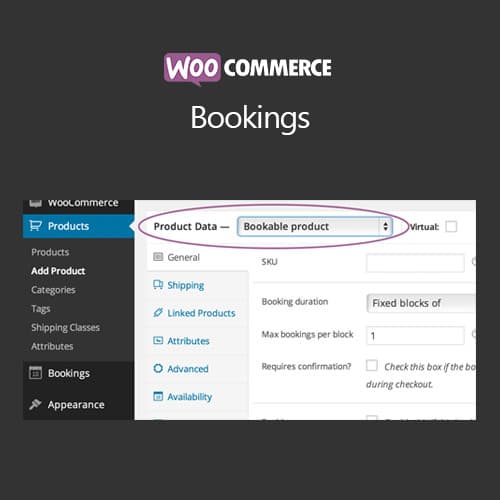
Appointment and reservation booking system for WooCommerce stores with calendar management
WooCommerce Bookings
WooCommerce Bookings adds appointment and reservation functionality to WooCommerce. It enables time-slot bookings, date-range reservations, resource management, calendar views, buffer times, and customer self-service booking management for service-based businesses and rental operations.
Included with purchase:
- 100% GPL Licensed
- Lifetime Updates
- Technical Support
- Instant Download
Download for Free
Get this product and unlock 4,500+ premium plugins & themes for just $15.00/month.
What is WooCommerce Bookings?
WooCommerce Bookings is a premium WordPress reservation plugin that adds appointment scheduling, date-range reservations, and time-slot bookings to WooCommerce stores. This plugin is particularly beneficial for service-based businesses and rental operations looking to manage bookings efficiently. Key features include flexible booking models that support various types of reservations, resource management to prevent double-booking of shared assets, and dynamic pricing options that adjust based on duration and dates. The plugin also allows for customer self-service booking management, enhancing the user experience. It is compatible with the latest versions of WooCommerce and WordPress, making it suitable for a wide range of business applications. Available at PluginTheme.net with GPL license, instant download, and lifetime updates.
Key Features
Calendar-Based Availability
Visual calendar interfaces for defining bookable dates, times, and business hours per product.
Resource Management
Assign and track bookable resources like rooms, equipment, and staff to prevent double-bookings.
Buffer Time Configuration
Automatically add preparation or cleanup gaps between consecutive bookings.
Dynamic Pricing Rules
Set rates based on duration, person count, weekday/weekend, and peak/off-peak timing.
Customer Self-Service Portal
Interactive booking calendar with account-based reservation viewing and cancellation requests.
Multiple Booking Models
Support fixed-date, date-range, time-slot, and multi-day reservation booking types.
Who is this for?
Pros
- Flexible booking models support appointments, date ranges, and multi-day reservations
- Resource management prevents double-booking of shared physical assets like rooms or equipment
- Dynamic pricing adjusts costs based on duration, dates, person count, and resource selection
- Customer-facing calendar provides intuitive self-service booking with real-time availability
- Buffer time configuration automatically adds preparation gaps between consecutive bookings
Cons
- •Complex configuration for multi-resource, multi-person booking setups requires significant setup time
- •Performance can slow on calendar views with many bookable products and resources
- •Annual licensing adds to ongoing WooCommerce operating costs for service businesses
Product Description
WooCommerce Bookings transforms WooCommerce from a product-selling platform into a booking and reservation system. It adds time-based selling capabilities — allowing customers to book appointments, reserve dates, schedule services, and rent equipment — all managed through the familiar WooCommerce framework.
Booking Types
The plugin supports various booking models: fixed-date bookings, customer-selected date ranges, time-slot appointments, and multi-day reservations. Each booking product can be configured with its own availability rules, pricing structure, and duration settings.
Availability & Scheduling
- Calendar-based availability — define bookable dates and times with visual calendar interfaces
- Business hours — set operating hours that determine available time slots for appointment-style bookings
- Buffer times — add preparation or cleanup time between consecutive bookings automatically
- Block-out dates — mark specific dates as unavailable for holidays, maintenance, or other closures
Resource Management
Assign bookable resources (rooms, equipment, staff members) to booking products. The system tracks resource availability separately, preventing double-bookings when multiple booking products share the same physical resource.
Pricing Flexibility
Configure pricing based on duration, person count, date ranges, and resource selection. Set different rates for weekdays vs. weekends, peak vs. off-peak hours, and group vs. individual bookings. Cost calculations display to customers in real time during the booking process.
Customer Self-Service
Customers view available slots on an interactive calendar, select their preferred dates and times, and complete the booking through WooCommerce checkout. After booking, they can manage reservations from their account page — viewing upcoming bookings and requesting cancellations.
Our Verdict
PluginTheme Team
Expert Reviewer
The standard booking solution for WooCommerce stores. It handles common booking scenarios well, though complex multi-resource configurations require patience during setup.
Expert Review

Related Products
More WooCommerce Plugins Products
View All →
WooCommerce Subscriptions
$4.49
Dokan Pro WordPress Plugin
$4.49
WooCommerce Smart Coupons
$4.49

AutomateWoo - Marketing Automation for WooCommerce
$4.49

Yoast WordPress WooCommerce SEO Premium
$4.49
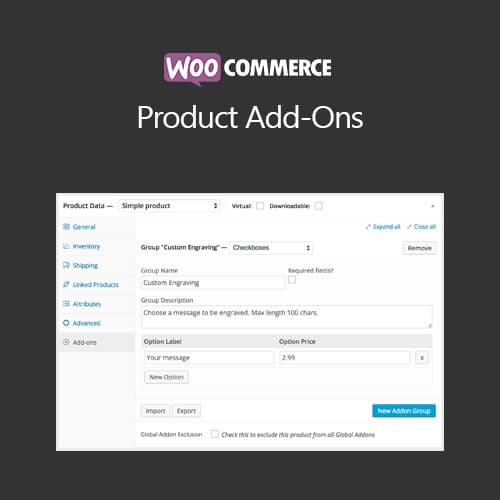
WooCommerce Product Add-Ons
$4.49

Soflyy WP All Import Pro WooCommerce Addon
$4.49

WooLentor Pro – WooCommerce Page Builder Elementor Addon
$4.49