
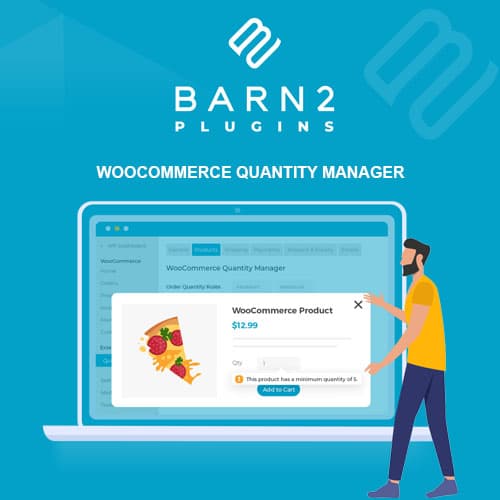
Set default, minimum, and maximum quantity values for WooCommerce products
WooCommerce Default Quantity
WooCommerce Default Quantity lets you configure default, minimum, maximum, and step quantity values for products. Control how many items customers can add to cart with configurable quantity rules at the product, category, or global level.
Included with purchase:
- 100% GPL Licensed
- Lifetime Updates
- Technical Support
- Instant Download
Download for Free
Get this product and unlock 4,500+ premium plugins & themes for just $15.00/month.
What is WooCommerce Default Quantity?
WooCommerce Default Quantity is a premium WordPress plugin designed to enhance the WooCommerce shopping experience by allowing store owners to configure default, minimum, maximum, and step quantity values for products. This plugin is particularly useful for e-commerce sites that sell items in bulk or require specific purchasing rules. Key features include the ability to set quantity controls at global, category, or individual product levels, enforce step quantities for bulk buying, and control minimum and maximum limits for product purchases. The target audience includes WooCommerce store owners and developers looking to customize product purchasing options. This plugin is compatible with the latest versions of WooCommerce and WordPress, ensuring reliable performance. Available at PluginTheme.net with GPL license, instant download, and lifetime updates.
Key Features
Default Quantities
Pre-fill the quantity input with configured default values so customers start with the intended order amount rather than one unit.
Min/Max Enforcement
Configurable minimum and maximum quantity limits that prevent orders below wholesale thresholds or above stock availability.
Step Increments
Force purchases in specific multiples (e.g., packs of 6 or cases of 12) for products sold in predetermined quantities.
Hierarchy Management
Three-tier configuration system (global → category → product) with inheritance and override for organized quantity rule management.
Who is this for?
Pros
- Flexible rules: Set quantity controls at global, category, or individual product level
- Step quantities: Enforce purchase in specific multiples for case or bulk buying
- Min/max limits: Control minimum orders and maximum purchase quantities per product
- Hierarchy system: Product settings override category, which overrides global defaults
Cons
- •Complex quantity rules across many categories need careful planning
- •Customers unfamiliar with quantity restrictions may need explanation at checkout
- •Step quantities may confuse customers if not clearly communicated on product pages
Product Description
WooCommerce Default Quantity extends WooCommerce's quantity input with configurable default values, minimum and maximum limits, and step increments. The plugin provides granular control over product quantity behavior at checkout.
Quantity Controls
- Default quantity pre-filled in the add-to-cart input
- Minimum quantity enforcement per product or globally
- Maximum quantity limits for inventory or order management
- Step increment values (e.g., buy in multiples of 6)
- Category-level quantity rules applied to all products in a group
Configuration Levels
Quantity rules can be set globally (all products), per category, or per individual product. Product-level settings override category defaults, which override global settings — providing a flexible hierarchy for quantity management across different product types.
Use Cases
Common applications include wholesale minimum orders, case quantity purchasing (multiples of 12, 24, etc.), limited-edition product restrictions, and sample quantity limits. The plugin helps stores enforce business rules around order quantities without custom development.
Our Verdict
PluginTheme Team
Expert Reviewer
WooCommerce Default Quantity provides practical quantity controls for stores with specific ordering requirements. The hierarchy system makes it manageable to apply rules across product catalogs without individual product configuration.









