Customize WooCommerce Checkout Form Fields
WooCommerce Checkout Field Editor
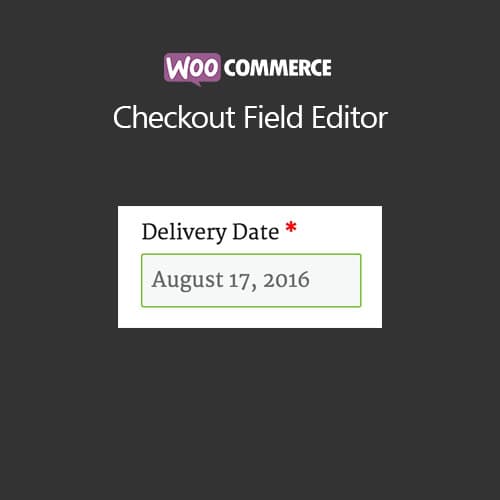
WooCommerce Checkout Field Editor allows you to add, edit, remove, and rearrange checkout form fields in WooCommerce, customizing the billing, shipping, and additional information sections.
Included with purchase:
- 100% GPL Licensed
- Lifetime Updates
- Technical Support
- Instant Download
Download for Free
Get this product and unlock 4,500+ premium plugins & themes for just $15.00/month.
What is WooCommerce Checkout Field Editor?
WooCommerce Checkout Field Editor is a premium WordPress plugin that allows users to customize their WooCommerce checkout experience by modifying form fields. This plugin is particularly beneficial for e-commerce businesses that require tailored checkout processes to enhance customer satisfaction. It offers features such as adding, removing, and rearranging billing and shipping fields, as well as validating additional information. The drag-and-drop interface makes it user-friendly, allowing for quick adjustments without coding knowledge. This plugin is compatible with the latest WooCommerce versions, ensuring seamless functionality. Available at PluginTheme.net with GPL license, instant download, and lifetime updates.
Key Features
Custom Fields
Add text, dropdown, checkbox, date picker, and file upload fields to checkout
Field Removal
Remove or hide unnecessary default WooCommerce checkout fields
Drag-and-Drop Order
Rearrange billing and shipping fields with visual drag-and-drop interface
Conditional Fields
Show or hide fields based on shipping method, payment, or cart contents
Validation Rules
Custom required fields, length limits, and format validation patterns
Order Data
Custom field values displayed in admin orders, emails, and export files
Who is this for?
Pros
- Custom Fields: Add text, select, checkbox, date, and file upload fields to checkout
- Field Removal: Remove unnecessary default fields to streamline the checkout flow
- Drag-and-Drop: Reorder checkout fields with intuitive drag-and-drop interface
- Conditional Logic: Show or hide fields based on shipping, payment, or cart conditions
- Order Integration: Custom field data appears in admin orders, emails, and exports
Cons
- •WooCommerce Only: Exclusively designed for WooCommerce checkout customization
- •Theme Compatibility: Some heavily customized themes may require CSS adjustments for new fields
Product Description
WooCommerce Checkout Field Editor is a plugin that provides control over the checkout form fields in WooCommerce. It lets you customize billing, shipping, and additional information sections by adding new fields, removing unnecessary ones, and rearranging the checkout layout.
Key Capabilities
- Add Custom Fields: Create new checkout fields including text, textarea, select, checkbox, radio, date picker, and file upload types.
- Remove Fields: Hide or remove default checkout fields that are not needed for your store, streamlining the checkout process.
- Reorder Fields: Drag and drop checkout fields to rearrange the order and layout of billing and shipping sections.
- Field Validation: Set custom validation rules including required fields, minimum/maximum length, and format patterns.
- Conditional Fields: Show or hide checkout fields based on selected shipping method, payment gateway, or cart contents.
Additional Features
- Field data displayed in order admin and emails
- CSS class support for field styling
- Placeholder text and default value configuration
- WooCommerce subscription checkout support
- Export custom field data with orders
Checkout Field Editor integrates with WooCommerce core and maintains compatibility with popular payment gateways and shipping plugins.
Our Verdict
PluginTheme Team
Expert Reviewer
WooCommerce Checkout Field Editor provides straightforward checkout customization. Adding and rearranging fields works smoothly, and the conditional logic feature is useful for showing relevant fields based on checkout context.