
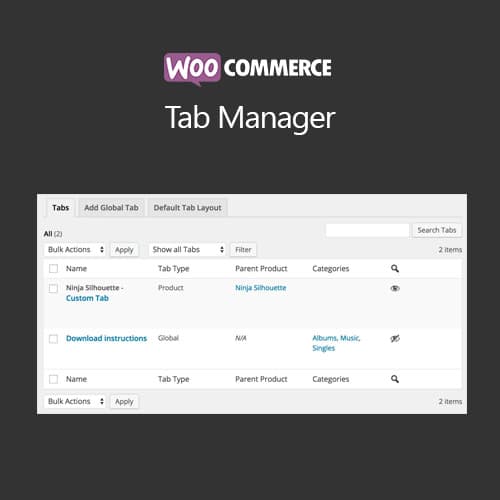
WooCommerce plugin for managing and customizing product page tabs with custom content
WooCommerce Tab Manager
WooCommerce Tab Manager provides full control over product page tabs. Add, remove, reorder, and customize default tabs, create global and product-specific custom tabs, and embed shortcodes or custom content within product page tabs.
Included with purchase:
- 100% GPL Licensed
- Lifetime Updates
- Technical Support
- Instant Download
Download for Free
Get this product and unlock 4,500+ premium plugins & themes for just $15.00/month.
What is WooCommerce Tab Manager?
WooCommerce Tab Manager is a premium plugin for customizing product page tabs with custom content, reordering, and global or product-specific tab management. This plugin is ideal for WooCommerce store owners looking to enhance their product pages by providing additional information in a structured manner. Key features include full control to add, remove, reorder, and rename product page tabs, the ability to include rich text, shortcodes, and HTML within custom tabs, and the option to create global tabs that appear across all products or category-specific tabs. It is designed to be compatible with the latest versions of WooCommerce and WordPress, ensuring smooth operation. Available at PluginTheme.net with GPL license, instant download, and lifetime updates.
Key Features
Custom Tabs
Add new tabs with rich text, HTML, or shortcode content
Global Tab Rules
Create tabs for all products or specific categories automatically
Tab Reordering
Drag-and-drop interface for arranging tab display order
Default Tab Control
Rename, remove, or modify default WooCommerce tabs
Who is this for?
Pros
- Full control: Add, remove, reorder, and rename product page tabs
- Custom content: Rich text, shortcodes, and HTML within custom tabs
- Global tabs: Create tabs appearing across all or category-specific products
- Drag-and-drop: Visual tab ordering through admin interface
- Responsive: Mobile-friendly tab and accordion display options
Cons
- •Too many tabs can clutter product pages and overwhelm customers
- •Custom tab content needs individual management across many products
- •Shortcode-heavy tabs may affect product page load speed
Product Description
WooCommerce Tab Manager gives store owners complete control over product page tabs. By default, WooCommerce shows Description, Additional Information, and Reviews tabs, but this plugin allows adding custom tabs, reordering, and managing tab content per product or globally.
Tab Management
- Default tabs: Reorder, rename, or remove default WooCommerce tabs
- Custom tabs: Add new tabs with HTML content, shortcodes, or custom fields
- Global tabs: Create tabs that appear on all products or specific categories
- Product-specific: Add unique tabs to individual products with custom content
Content Options
- Rich text editor for tab content with HTML support
- Shortcode embedding for dynamic content within tabs
- Third-party content integration (videos, forms, widgets)
- Tab icons and custom CSS for visual customization
Display Control
Configure tab visibility based on product category, type, or specific product selection. Tab order is fully customizable through drag-and-drop interface. Responsive tab layouts adapt to mobile devices with accordion or horizontal tab display options.
Our Verdict
PluginTheme Team
Expert Reviewer
WooCommerce Tab Manager provides practical tab customization for stores needing additional product information sections beyond default WooCommerce tabs.
Expert Review

Related Products
More WooCommerce Plugins Products
View All →
WooCommerce Subscriptions
$4.49
Dokan Pro WordPress Plugin
$4.49
WooCommerce Smart Coupons
$4.49

AutomateWoo - Marketing Automation for WooCommerce
$4.49

Yoast WordPress WooCommerce SEO Premium
$4.49
WooCommerce Bookings
$4.49
WooCommerce Product Add-Ons
$4.49

WooLentor Pro – WooCommerce Page Builder Elementor Addon
$4.49